
AI Search
Claim Your Business in ChatGPT: Business Hub Is Now in Beta, How to Claim It, and What It Still Will Not Tell You
Businesses in ChatGPT launched in beta on November 10, 2026. Eligible businesses can claim a Business Hub profile, update their facts, and see aggregated mentions, website clicks, and discovery topics. This guide covers the claim steps, who can claim today, the limits OpenAI confirms, and what a local service business should do first.
The short answer
Yes, you can now claim your business in ChatGPT. OpenAI launched Businesses in ChatGPT in beta on November 10, 2026. Through Business Hub, at chatgpt.com/business-hub, an eligible business can claim its profile, update its information, and see aggregated insights on how people engage with it: mentions, website clicks, and discovery topics, the common themes in conversations where its website is cited. Eligible ecommerce and online service businesses in the United States can also publish a Business Agent to answer customer questions from information the business provides. Claiming controls your facts. OpenAI does not say claiming guarantees you will be recommended more. This guide covers how the claim works, who can claim today, what the insights do and do not show, and what a local service business should do first.
What happened
On November 6, 2026, an ecommerce analyst, Juozas Kazukenas of Marketplace Pulse, posted screenshots on LinkedIn of an unreleased page headed "Claim your business in ChatGPT." Search Engine Roundtable and Search Engine Land covered it the same day. At that point OpenAI had announced nothing, and this guide originally reported it as a test, because that is what it was.
On November 10, 2026, OpenAI announced it itself, on its site and on X. That announcement is the source for the launch facts in this update. The program is called Businesses in ChatGPT. The dashboard is Business Hub. It is labeled beta, which means the details can still change, and it is now open to try, not just spotted in screenshots.
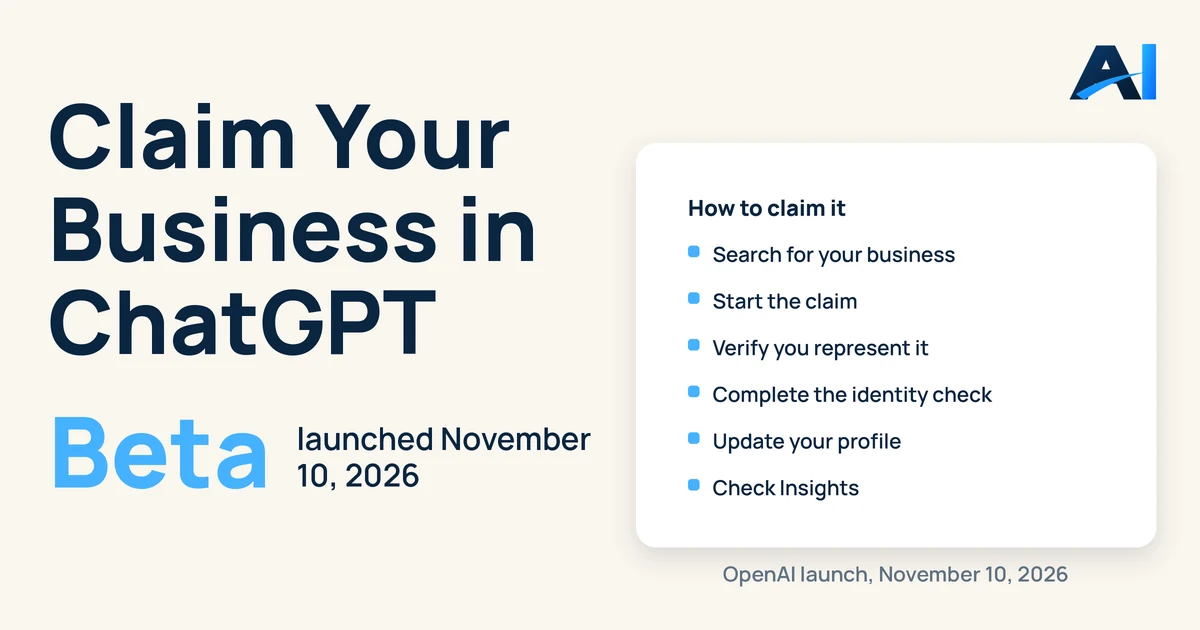
How to claim your business
You need a ChatGPT account. Business Hub will not show a search until you sign in.
- Go to chatgpt.com/business-hub and search for your business by name.
- If your business is listed and eligible, start the claim.
- Verify that you represent the business. OpenAI names Shopify connection as one streamlined path, and says you can also claim without a Shopify store. The home service walkthrough posted on launch day by a local SEO practitioner reports the other options he saw: business phone, business email, website domain by adding a TXT record to your DNS, or Shopify.
- Complete the identity check for the person behind the business. That same walkthrough calls it Persona verification and reports it can ask for ID, business registration, or proof you are authorized to represent the company.
- Once verified, update the profile: business description, category, services, service area, website, logo, and cover photo. Retailers can also add a product feed with current pricing and availability.
- Check Insights. Mentions, website clicks, and discovery topics are aggregated, and OpenAI says insights only appear when there are enough interactions to meet its thresholds, so a small business may see nothing at first. That is a threshold, not a verdict that nobody is asking.
If your business is not listed, launch day testing by other firms reports an add or waitlist path, with no timeframe given. We have not verified that path for a local service business yet, and this guide does not promise a date for it.
Who can claim today
OpenAI's announcement says any eligible business located where ChatGPT is available can claim through Business Hub. Its launch coverage adds two limits that matter for local owners. First, at the start, only businesses with a website can claim. Second, local stores and restaurants can claim only an existing US listing.
Read that second limit carefully for a service company. If your listing already exists in Business Hub, you can claim it. If it does not, you may be adding your business and waiting, not claiming it today. Nobody should sell you a same day claim until your actual listing has been searched, signed in, by name.
Business Agents are narrower. OpenAI limits them at launch to eligible ecommerce and online service businesses in the United States. A home service company should claim and clean up its profile now, and should not assume it can turn an agent on today.
What it still will not tell you
The launch confirms the dashboard. It also confirms its limits.
No actual prompts or conversations. OpenAI says it does not share people's conversations or Business Agent chats with businesses. Discovery topics are themes, not the questions customers typed.
Counts without a full cause. Mentions and clicks tell you movement. Topics give you a theme to work from. They do not give you a fix list, page by page, the way a sampled check of real buyer questions does.
ChatGPT only. Buyers also ask Perplexity, Gemini, and Google's AI answers. This dashboard says nothing about those surfaces.
No competitors. There is still no competitor benchmark in what OpenAI announced. A count with no comparison cannot tell you whether you are winning your town.
Claiming is not a ranking promise. Giving ChatGPT better first party information helps it answer accurately about you. That is different from a promise to recommend you first, and no seller should turn it into one.
None of this makes the claim pointless. It is the first place a business can hand ChatGPT its own facts directly and see first party engagement back. Claim it for control of your facts. Keep doing sampled visibility checks for the why, the competitors, and the other platforms.
The contrast that is already live: Google's version
Google is the useful contrast because its side of this is published, not spotted. Google Search Central's "AI features and your website" guide, checked today, says a page must be indexed and eligible to be shown in Google Search with a snippet to appear as a supporting link in AI Overviews or AI Mode, that there are no additional requirements, and that owners should verify their site in Search Console to diagnose issues. In other words, Google's published route into its AI answers is the ordinary one: crawlable pages, correct facts, and no special AI file or markup.
Google also already runs a dedicated Generative AI performance report in Search Console. Per the Schmitdy explainer's reading of Google's report pages, checked November 7, 2026, that report launched on June 3, 2026 and reached all websites on August 31, 2026. It covers AI Overviews, AI Mode, and generative AI features in Discover, and counts how many times links to a site were shown, split by page, country, device, and date. It does not show clicks in that dedicated report and it does not show queries there, which is a reminder that even the live, official version of this kind of tool is narrower than owners expect.
Put the two side by side and the pattern is clear. Both platforms are now live, and both are limited. Google's is documented, and OpenAI's launched in beta on November 10, 2026, adding the one thing Google's dedicated report lacks, a click count, while lacking the page level split Google's has. Neither one shows you the prompts your customers asked or the competitors named beside you. That work stays outside both dashboards.
What to do now, for a local service business
Search your exact business name first. Do it signed in, and write down what you found: listed and claimable, listed with a problem, not listed, or waitlist. That one result decides your next step.
Make your facts agree before you submit them. Your website, Google Business Profile, and directories should say the same name, services, service area, and phone. The profile you claim will ask for those same facts. Submitting a mess just records the mess in a new place.
Write the description for a buyer, not a brochure. What services you provide, what cities you serve, what type of customer you help, and what makes you different, in plain words. Skip generic quality and trust language. It tells an answer engine nothing it can use.
Keep your own baseline. Run your fixed buyer questions across ChatGPT, Perplexity, and Gemini, record who gets named, and repeat monthly. Business Hub gives you ChatGPT's aggregated count. Your baseline gives you the questions and the competitors. You need both.
Questions owners ask
Is the ChatGPT Business Hub live? Can I claim my business today?
Yes, in beta, as of November 10, 2026, when OpenAI announced Businesses in ChatGPT on its own site. Go to chatgpt.com/business-hub, sign in, and search your business name. Whether you can finish a claim today depends on whether your business is eligible and already listed. Local businesses, per launch coverage of OpenAI's setup guide, can claim only an existing US listing at the start, and businesses without a website cannot claim yet.
Is it free, and is there a price?
OpenAI's announcement and claim pages checked on November 10, 2026 publish no price for claiming a business in Business Hub. This guide will not invent one. If OpenAI publishes pricing, this page will be updated with the source and the date.
Will claiming make ChatGPT recommend me more?
OpenAI does not promise that. Claiming lets you manage the information ChatGPT has about your business and see how people engage with you. Better, consistent facts help ChatGPT answer accurately. Accuracy is not a guaranteed ranking, and any seller who promises a number one recommendation from a claim is going beyond what OpenAI says.
Will it replace visibility checks?
No. Business Hub shows your aggregated mentions, clicks, and discovery topics inside ChatGPT only, with no conversations, no competitor comparison, and insights only when thresholds are met. A visibility check that runs fixed buyer questions across ChatGPT, Perplexity, and Gemini measures the answers themselves, with competitors in them. Use the Hub as the first party record, and the check as the diagnosis.
Want a second set of eyes?
We can review where AI may help your business, prioritize realistic opportunities, and decide whether the best first step is an integration, an AI workflow, or custom software.
Book Free AI AuditLooking specifically at ChatGPT and AI discovery? Request a free AI Visibility Checker. You can also see how we improve AI search visibility.
Sources and further reading
The guides combine practical implementation advice with the public references below. Hypothetical examples are labeled and are not customer results.